
You asked for one short video.
What came back was sideways, squashed, and three days late. Sending video through messaging apps can reduce its quality. Large attachments can make email awkward, too.
-
 4K
Original recording -

After a text -

After an email -

After WhatsApp
Illustrative examples. Video quality varies by app and sharing settings.
Keep the quality their phone captured. CapSend delivers the original recording.
Compare CapSend with texts, email, and shared foldersSend a link. Get back the original.
Create a request
Give your request a title and add the people you’d like to hear from. Add instructions or a teleprompter script, then choose the video format, quality, and time limit, or use the defaults.

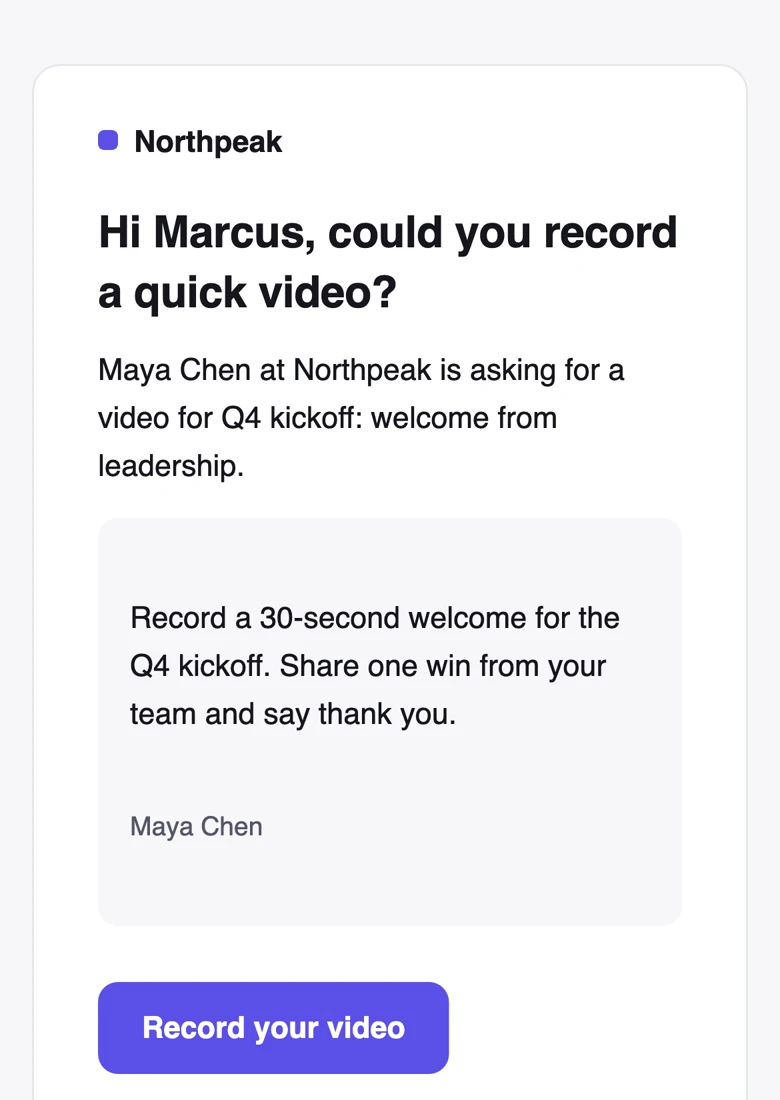
They get a link by email or text
The invitation and recording page use your organization’s name and brand color. No app to install. No account to create. One tap on the link and they’re in.
Everything they need to record.
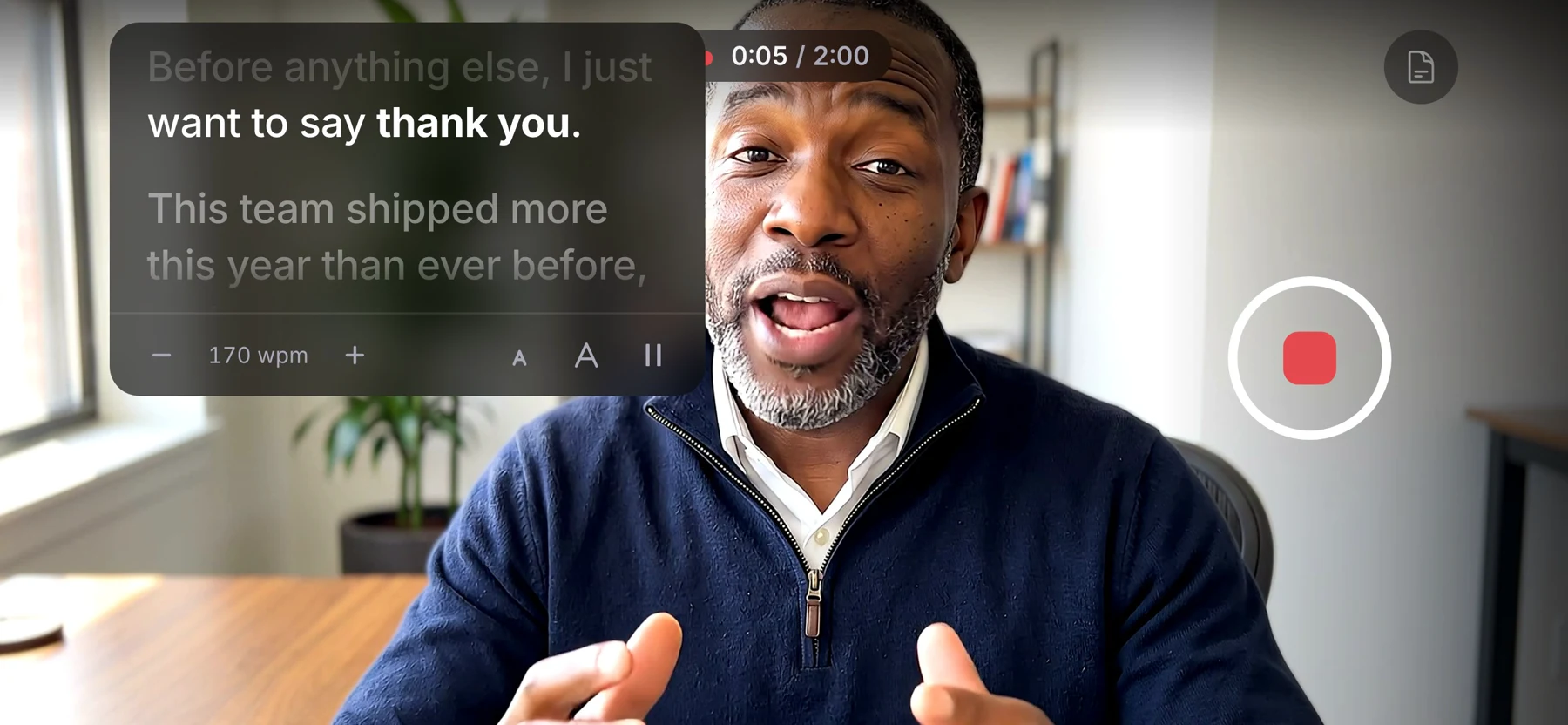
Help them record in the right orientation, follow your script beside the camera, and capture video in up to 4K. They can watch it back and re-record before sending to get that perfect video.
- Orientation check
- CapSend checks that they’re holding their phone the right way before recording.
- A teleprompter by the lens
- The script scrolls at their pace and never shows in the video.
- Up to 4K
- Choose a recording quality up to 4K, depending on their phone and browser.
- Review and retake
- They can watch their recording, try again, and send it when they’re happy with it.
- Saved on their device
- CapSend keeps a local copy of the recording until it’s successfully sent.
Uploads while they record.
The video uploads in the background during recording, reducing the wait afterward. They can still review it and try again before sending. You can track who’s opened the request, who’s recording, and who’s sent a video.


The original, exactly as it was recorded.
Download the original file, or hand an edit-ready copy straight to your editor.
- The original file, untouched
- An edit-ready MP4 at a constant frame rate
- An expiring link for your editor
- Specs and a quality check on every video

One CEO, or five hundred customers.
Request a video from one person or a whole group. Each person gets a private recording link. Track who’s opened it, who’s recording, and who’s sent their video, all in one place.
Get the video you asked for.
Ask anyone for a video, and get back the original file.